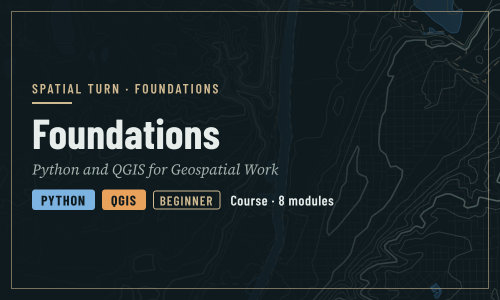
Foundations: Python and QGIS for Geospatial Work
About
New to Python or GIS? Start here. This course teaches the foundations that every other module in the curriculum builds on: how to run Python notebooks, how to work with tables and charts, how to handle maps, rasters and coordinate systems in Python, and how to make maps and join Census tables in QGIS. Each tool ends with a small capstone, Map Your County, that takes real Census data to a finished map. No experience with programming or GIS is needed.
| Episode | What you will learn | Tools |
|---|---|---|
| Introduction to Foundations | The tools of the curriculum, working in Jupyter notebooks, and where to go next | Concepts |
| Python Basics | Running cells, variables, text, lists, dictionaries, decisions, loops and functions | Python notebooks (6) |
| Working with Data | Tables with pandas and charts with matplotlib | Python notebooks (2) |
| Geospatial Python Basics | Map layers with GeoPandas, coordinate reference systems, attribute and spatial joins, and rasters with rasterio | Python notebooks (4) |
| Map Your County in Python | Capstone: a Census table to a finished, shareable map | Python notebook (1) |
| Getting Started with QGIS | Loading data from the web, styling layers, a choropleth map and a finished layout | QGIS |
| Tables, Joins and Selections in QGIS | Joining Census tables, rates in the Field Calculator, and selecting by expression | QGIS |
| Map Your County in QGIS | Capstone: the same map, made in QGIS | QGIS |
The Python episodes (2 to 5) and the QGIS episodes (6 to 8) are independent: follow one tool, or both.
Each Python notebook takes 15 to 25 minutes, covers one idea, reads its data straight from the web, and ends with an exercise and its solution.
Prerequisites
- A free CyberFaCES account to run the notebooks
- A computer where you can install QGIS, for the QGIS episodes
- Nothing else: no programming or GIS experience is assumed
The Setup page is the central setup guide for the whole curriculum: running the notebooks, installing QGIS, and getting a Census API key.
This course is part of Enabling the Geospatial Turn in the Social Sciences, a set of training modules developed at Purdue University with support from the National Science Foundation.
| Type | Course |
|---|---|
| Level | Foundation |
| Length | 11 hours |
| Topics |
python QGIS Concepts Community: Spatial Turn |
Modules
-
Introduction to Foundations
Module 1 • 30 minutes
The other modules in this curriculum assume a little background: how to run a Python notebook, what a table and a map layer are, and how to load data into QGIS. This module teaches exactly that, from zero. If you have never written code or opened a GIS, start here.
-
Python Basics
Module 2 • 2 hours
Running cells, variables, text, lists, dictionaries, decisions, loops and functions. Six short notebooks, each covering one idea and ending with an exercise and its solution; the examples use Indiana counties.
-
Working with Data
Module 3 • 1 hour
Tables with pandas and charts with matplotlib.
-
Geospatial Python Basics
Module 4 • 2 hours
Map layers with GeoPandas, coordinate reference systems, attribute and spatial joins, and rasters with rasterio.
-
Map Your County in Python
Module 5 • 1 hour
Capstone: a Census table to a finished, shareable map. A local food bank wants a one-page map of where households without a car live in Tippecanoe County, Indiana, to plan a delivery service. You will deliver it as a PNG image that a reader with no GIS experience can understand.
-
Getting Started with QGIS: Your First Map
Module 6 • 1 hour
Loading data from the web, styling layers, a choropleth map and a finished layout.
-
Tables, Joins and Selections in QGIS
Module 7 • 1 hour
Joining Census tables, rates in the Field Calculator, and selecting by expression.
-
Map Your County in QGIS
Module 8 • 1 hour
Capstone: the same map, made in QGIS. A local food bank wants a one-page map of where households without a car live in Tippecanoe County, Indiana, to plan a delivery service. You will deliver it as a PNG image that a reader with no GIS experience can understand.
Instructor

Aniket Dev Roy
Discussions
Please login to view discussions.